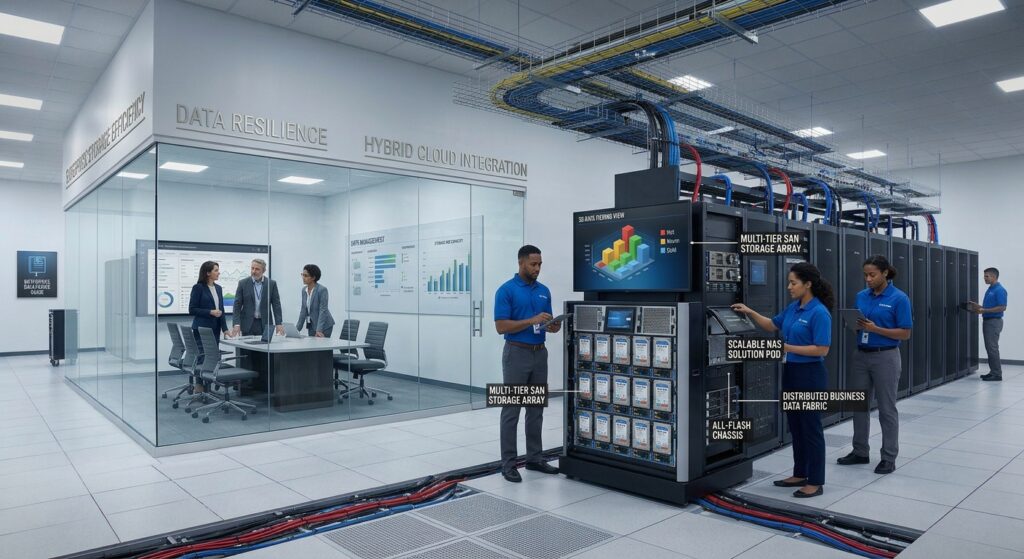

GPU server hardware has become an important part of modern computing infrastructure, supporting artificial intelligence, machine learning, scientific research, data analytics, and advanced graphics processing. Businesses increasingly use GPU-powered systems to handle computational workloads that require substantial parallel processing capabilities.
Unlike traditional servers that rely primarily on CPUs, GPU servers combine general-purpose processors with graphics processing units (GPUs) designed to execute large numbers of calculations simultaneously. This architecture makes them particularly useful for AI model training, inference, scientific simulations, and other accelerator-intensive applications.
However, selecting the right GPU server hardware involves more than comparing the number of GPUs or their advertised computing performance. Organizations must evaluate GPU memory, processor configuration, PCIe connectivity, GPU interconnect technology, networking, storage, power consumption, and cooling requirements.
For businesses comparing GPU server solutions, understanding these components can help identify the right hardware configuration for current workloads while supporting future infrastructure expansion.
What Is GPU Server Hardware?
GPU server hardware refers to physical server systems equipped with one or more graphics processing units designed to accelerate computational workloads.
Traditional servers primarily use CPUs for general-purpose processing. GPU servers combine CPUs and GPUs so that suitable computational tasks can be transferred to specialized accelerators.
The CPU generally manages operating system operations, application coordination, data preparation, and other general-purpose tasks. GPUs execute workloads that can benefit from parallel processing.
GPU server systems are commonly used for:
- Artificial intelligence and machine learning
- Deep learning model training
- Large language model inference
- Scientific computing
- High-performance computing (HPC)
- Data analytics and processing
- Computer vision
- Video processing
- 3D rendering and visualization
- Virtual desktop infrastructure
The appropriate GPU server configuration depends on the application’s software requirements and computational workload.
For example, AI model training may require multiple high-memory GPUs with fast communication between accelerators. An inference server may prioritize memory capacity, throughput, and the number of users that can be served simultaneously.
Therefore, businesses should identify their intended workloads before purchasing GPU computing infrastructure.
How GPU Servers Work
GPU servers combine CPUs, accelerators, system memory, storage, and networking to process computational workloads.
The CPU coordinates system activities and distributes suitable computational tasks to available GPUs.
The GPUs then execute parallel operations, returning results to the application or passing data between other system components.
A typical GPU server includes:
- One or more server CPUs
- Multiple GPU accelerators
- System RAM
- GPU memory
- High-speed storage
- PCIe expansion architecture
- GPU interconnect technology
- Network adapters
- Power supplies
- Cooling infrastructure
- Remote management controllers
The efficiency of a GPU server depends on how well these components work together.
A system with powerful GPUs may still experience performance limitations if the CPU cannot provide data quickly enough, memory capacity is insufficient, or communication between components becomes a bottleneck.
This is why GPU server hardware should be evaluated as a complete system rather than as a collection of individual components.
Types of GPU Server Solutions
Different GPU server configurations are designed for different computational workloads.
Understanding these categories helps organizations select hardware that matches their performance and infrastructure requirements.
1. AI GPU Servers
AI GPU servers are designed to accelerate artificial intelligence workloads, including model training, fine-tuning, and inference.
They commonly use specialized data center GPUs with substantial memory capacity and high-bandwidth connectivity.
Typical applications include:
- Large language models (LLMs)
- Natural language processing
- Computer vision
- Recommendation systems
- Generative AI
- Image and video analysis
- Speech recognition
- Predictive analytics
AI GPU servers may contain one, two, four, eight, or more GPUs depending on the platform and intended workload.
Important purchasing considerations include GPU memory capacity, accelerator performance, interconnect bandwidth, CPU resources, and software compatibility.
2. Multi-GPU Servers
Multi-GPU servers contain multiple accelerators installed within a single physical server.
These systems allow applications to distribute computational workloads across several GPUs.
Common configurations include:
| GPU Configuration | General Application |
|---|---|
| 1 GPU | Development, inference and accelerated applications |
| 2 GPUs | Multi-GPU workloads and model inference |
| 4 GPUs | AI training, inference and data processing |
| 8 GPUs | Large-scale training and accelerated computing |
| Specialized GPU platforms | Advanced enterprise AI and computing workloads |
These configurations are general architectural examples, not fixed performance recommendations.
The correct GPU count depends on workload characteristics, GPU memory requirements, supported software, and available system connectivity.
Multi-GPU systems also require suitable cooling, power delivery, and GPU communication architecture.
3. NVIDIA GPU Server Systems
NVIDIA GPU server systems are widely used in AI, scientific computing, and enterprise accelerated computing environments.
NVIDIA offers multiple GPU and server technologies designed for different workloads.
Its enterprise ecosystem includes:
- NVIDIA data center GPUs
- NVIDIA HGX platforms
- NVIDIA NVLink technology
- NVIDIA InfiniBand networking
- NVIDIA Spectrum-X Ethernet
- NVIDIA AI Enterprise software
NVIDIA-Certified Systems provide validated server configurations for supported AI, accelerated computing, visualization, and HPC applications.
When evaluating NVIDIA GPU server systems, buyers should verify GPU model, supported memory configuration, server certification, cooling requirements, and compatibility with the intended software stack.
4. GPU Compute Servers
GPU compute servers are designed for computational applications that benefit from accelerator processing.
They are commonly used in:
- Scientific simulations
- Engineering calculations
- Computational fluid dynamics
- Financial modeling
- Data processing
- Image processing
- Technical visualization
Depending on the application, these systems may prioritize GPU memory bandwidth, FP64 computing capabilities, accelerator interconnects, or overall processing throughput.
Not every GPU workload requires the same accelerator architecture.
5. GPU Virtualization and Graphics Servers
Some GPU server solutions are designed for remote graphics applications, virtual workstations, and virtual desktop infrastructure.
These systems allow multiple users or applications to access GPU-accelerated computing resources.
Potential applications include:
- Computer-aided design (CAD)
- 3D modeling
- Professional visualization
- Video production
- Remote engineering workstations
- Virtual desktop environments
Buyers should check GPU virtualization support, licensing, application compatibility, memory allocation, and available user concurrency.
Essential Components of GPU Server Hardware
Understanding the main components is important when comparing GPU server specifications.
Each component influences overall system performance, compatibility, and operational requirements.
1. GPU Accelerators
GPUs are the main computational accelerators in a GPU server.
They contain processing units designed to execute many operations simultaneously.
Common GPU manufacturers and platforms include NVIDIA data center GPUs and AMD Instinct accelerators.
Important GPU specifications include:
GPU Architecture
GPU architecture determines the design and capabilities of the accelerator.
Different generations may offer different processing capabilities, memory technologies, interconnect features, and supported software functions.
GPU Memory Capacity
GPU memory stores model parameters, application data, intermediate calculations, and other information required during processing.
For AI workloads, GPU memory capacity can influence model size, batch size, concurrency, and training configuration.
Memory Bandwidth
Memory bandwidth determines how quickly data can move between GPU processing resources and GPU memory.
This is particularly important for workloads that repeatedly access large datasets.
Computing Precision
GPU accelerators support different numerical precision formats.
Common formats include:
- FP64
- FP32
- FP16
- BF16
- FP8
- INT8
The importance of each format depends on the application.
Scientific applications may require double-precision calculations, while AI applications frequently use lower-precision formats when supported by their models and software frameworks.
Power Consumption
High-performance GPUs can require substantial electrical power.
Buyers should verify the GPU’s power requirements, supported server configuration, power supply capacity, and cooling compatibility.
2. Server CPU
Although GPUs perform much of the accelerated computation, CPUs remain essential in GPU server architecture.
The CPU manages operating system operations, application coordination, data preparation, storage access, and communication with other system components.
Common enterprise processor families include:
- Intel Xeon
- AMD EPYC
- Other supported server processor platforms
Important CPU specifications include:
- Processor core count
- Thread count
- Clock frequency
- Memory channels
- PCIe connectivity
- CPU socket configuration
- Cache capacity
- Power requirements
A CPU must provide sufficient resources to keep the installed GPUs supplied with data.
An unbalanced CPU-to-GPU configuration can limit system performance.
NVIDIA’s published server configuration guidance evaluates CPU resources relative to GPU count and recommends balanced GPU placement across CPU sockets and PCIe root ports.
3. System RAM
System memory supports operating system operations, application execution, data staging, and CPU-side processing.
GPU memory and system RAM perform different roles.
A GPU server needs sufficient system memory to support its CPU workload and transfer data efficiently between storage, processors, and accelerators.
Important memory considerations include:
- Total RAM capacity
- DDR generation
- Memory bandwidth
- ECC support
- Number of memory channels
- DIMM compatibility
- Maximum supported memory
- NUMA configuration
For some NVIDIA-certified server configurations, NVIDIA recommends system memory capacity of at least twice the total GPU memory as a starting point.
This is a vendor configuration recommendation rather than a universal requirement for every GPU server application.
Actual memory requirements should be determined by workload characteristics and server platform documentation.
4. PCIe Connectivity
PCI Express (PCIe) provides communication pathways between CPUs, GPUs, network adapters, and other expansion devices.
PCIe capacity is particularly important in multi-GPU servers because accelerators require sufficient bandwidth to communicate with CPUs and other components.
Important specifications include:
- PCIe generation
- Available PCIe lanes
- Slot configuration
- PCIe switch architecture
- CPU-to-GPU connectivity
- GPU-to-NIC connectivity
Not every physical PCIe slot provides the same electrical bandwidth.
A slot may have an x16 physical connector but operate with fewer electrical lanes.
Buyers should examine the motherboard and server documentation to determine the actual connectivity available to each GPU.
The GPUs should also be installed in supported slots that match the accelerator’s interface requirements.
5. GPU Interconnect Technology
Communication between GPUs can influence multi-GPU performance.
Some systems use PCIe, while specialized platforms support additional interconnect technologies.
NVIDIA NVLink
NVLink is an NVIDIA high-speed interconnect technology designed to support communication between supported GPUs and other compatible components.
Its capabilities depend on the GPU generation and system architecture.
NVLink Switch Technology
Some advanced NVIDIA platforms use NVLink Switch technology to provide high-bandwidth communication across multiple GPUs.
This is particularly relevant for supported large-scale AI training and inference configurations.
PCIe-Based Multi-GPU Connectivity
Other servers use PCIe as the primary communication pathway between accelerators.
PCIe configurations can be suitable for many inference, graphics, and GPU computing workloads.
Before purchasing multi-GPU servers, verify whether the application benefits from direct GPU communication and whether the selected server supports the required interconnect.
6. GPU Server Storage
Storage provides the capacity needed for operating systems, application software, datasets, AI models, and intermediate processing files.
Common storage options include:
| Storage Type | Common Applications |
|---|---|
| NVMe SSD | High-performance AI datasets and model storage |
| SATA SSD | General application and operating system storage |
| SAS SSD | Enterprise storage environments |
| HDD | Large-capacity data storage and archives |
AI workloads can involve very large datasets and model files.
Storage performance becomes particularly important when systems frequently load training data, perform checkpoint operations, or process large files.
Important storage considerations include:
- Drive capacity
- Read and write throughput
- IOPS
- Storage endurance
- Drive interface
- RAID support
- Local versus shared storage
- Storage expansion options
For large multi-node deployments, shared storage or parallel file systems may be necessary.
The storage architecture should match the expected data transfer and access patterns of the applications.
7. High-Speed Networking
Networking connects GPU servers to storage systems, users, other computing nodes, and external infrastructure.
In multi-server AI environments, networking can become a major performance factor.
Common technologies include:
- InfiniBand
- High-speed Ethernet
- RoCE
- RDMA-enabled network adapters
Important network specifications include:
- Bandwidth
- Latency
- Number of ports
- Network adapter architecture
- Switch compatibility
- Network topology
- Transceiver and cabling requirements
For multi-node training and distributed inference, buyers should evaluate the network fabric as part of the complete GPU computing infrastructure.
NVIDIA reference architectures distinguish between GPU compute networking, storage networking, customer networking, and management networking.
This separation can help organizations design scalable AI environments.
8. Power Supply and Cooling
GPU server hardware generates considerable heat, particularly when multiple high-power accelerators operate simultaneously.
Power delivery and cooling are therefore important purchasing considerations.
Important specifications include:
- Total GPU power requirements
- CPU power consumption
- Power supply capacity
- Redundant power supply configuration
- Supported input voltage
- Cooling fan architecture
- Airflow design
- Liquid cooling compatibility
- Rack power density
Some high-density GPU servers support direct liquid cooling.
Liquid cooling can help manage thermal requirements in suitable deployments, but it also introduces additional facility infrastructure and maintenance considerations.
Businesses should verify that their data center can support the server’s power and cooling requirements before purchasing.
GPU Server Specifications: What Should Buyers Compare?
GPU server specifications provide a structured way to compare different hardware configurations.
A comprehensive evaluation should include the entire server rather than focusing only on GPU model or accelerator count.
| Specification | Important Evaluation Criteria |
|---|---|
| GPU Model | Architecture, generation and supported features |
| GPU Count | Number of accelerators per server |
| GPU Memory | Capacity per GPU and total installed memory |
| GPU Bandwidth | Memory bandwidth and interconnect capabilities |
| CPU | Model, core count and socket configuration |
| System RAM | Capacity, speed and memory channels |
| PCIe | Generation, lanes and topology |
| GPU Interconnect | NVLink or supported PCIe architecture |
| Storage | NVMe, SSD, HDD and expansion |
| Networking | InfiniBand, Ethernet and RDMA |
| Power | Total system power requirements |
| Cooling | Air cooling or direct liquid cooling |
| Management | Remote management and monitoring |
| Software | Driver, accelerator framework and application compatibility |
Buyers should request detailed technical specifications from manufacturers or suppliers.
A server listing that only mentions GPU count and memory capacity may not provide enough information for a reliable purchasing decision.
AI GPU Servers: Training vs. Inference
AI GPU servers can support different stages of artificial intelligence workloads.
Two important categories are model training and model inference.
AI Training Servers
AI training servers are designed to execute the computational operations required to train or fine-tune machine learning models.
Training workloads may require multiple high-memory GPUs and fast communication between accelerators.
Important hardware priorities include:
- GPU processing performance
- GPU memory capacity
- GPU interconnect bandwidth
- CPU resources
- System memory
- High-speed storage
- Multi-node networking
- Cooling and power infrastructure
Training performance depends on model architecture, data, software frameworks, numerical precision, and distributed training configuration.
For larger models, multiple GPUs may be required to distribute parameters, activations, and computational workloads.
AI Inference Servers
AI inference servers execute trained models to generate predictions, classifications, recommendations, or responses.
Inference workloads may include:
- Chatbot applications
- Document processing
- Image recognition
- Video analytics
- Speech processing
- Recommendation engines
- AI-powered business applications
Important purchasing considerations include:
- GPU memory capacity
- Inference throughput
- Response latency
- Supported numerical precision
- Concurrent user capacity
- Model size
- Software optimization
- Network connectivity
An inference-focused server may require a different configuration from a large-scale training server.
For example, a business serving a moderate number of users may prioritize efficient inference capacity rather than the largest possible multi-GPU configuration.
Leading GPU Server Manufacturers and Platforms
Several established manufacturers provide GPU server solutions for enterprise AI, data centers, and accelerated computing.
The following platforms can serve as starting points for a procurement shortlist.
1. Dell PowerEdge GPU Servers
Dell offers GPU-enabled PowerEdge platforms designed for enterprise AI, accelerated computing, and data-intensive workloads.
Its XE server family includes high-density GPU systems with configurations that support different accelerator platforms.
Evaluation considerations include:
- Supported NVIDIA GPU models
- GPU quantity and interconnect
- CPU and memory configuration
- PCIe expansion
- Storage architecture
- Networking
- Power and cooling
- iDRAC remote management
- Enterprise support
For example, the Dell PowerEdge XE9680 documentation describes configurations supporting eight accelerators, including NVIDIA HGX platforms.
The broader PowerEdge XE portfolio should be evaluated against the exact accelerator and server generation required.
Official website:
2. HPE GPU Server Solutions
HPE provides GPU-enabled ProLiant systems and other accelerated computing platforms for enterprise AI and infrastructure applications.
The HPE ProLiant Compute DL380a Gen12 is an example of a GPU-focused rack server designed for AI inference workloads.
According to HPE’s published specifications, this 4U platform supports selected NVIDIA GPU configurations, Intel Xeon 6 processors, and options for air cooling or direct liquid cooling.
Important evaluation considerations include:
- GPU configuration support
- CPU platform
- Maximum memory
- PCIe architecture
- Cooling options
- Power infrastructure
- HPE iLO management
- Enterprise support services
Official product information:
3. Lenovo ThinkSystem GPU Servers
Lenovo ThinkSystem includes GPU server platforms designed for AI, visualization, scientific computing, and other accelerated workloads.
The ThinkSystem SR680a V4 is an example of an eight-GPU platform supporting NVIDIA HGX B300 configurations.
Its published documentation describes dual Intel Xeon 6 processors and high-performance GPU connectivity.
Important purchasing considerations include:
- Supported GPU architectures
- GPU memory configuration
- CPU specifications
- PCIe architecture
- Memory capacity
- Networking
- Cooling and power
- Lenovo XClarity management
Official product information:
4. NVIDIA GPU Computing Infrastructure
NVIDIA provides GPU hardware, interconnect technologies, networking equipment, and software technologies used in enterprise AI and GPU computing infrastructure.
Its ecosystem includes:
- NVIDIA data center GPUs
- NVIDIA HGX systems
- NVIDIA NVLink
- NVIDIA InfiniBand
- NVIDIA Spectrum-X Ethernet
- NVIDIA AI Enterprise
- CUDA development technologies
NVIDIA-Certified Systems provide validation for supported server configurations and target workloads.
NVIDIA Reference Architectures extend beyond individual servers by providing design guidance for computing, networking, storage, and infrastructure software.
Official resources:
GPU Server Manufacturer Comparison
The following table provides a general comparison of the platforms discussed.
| Manufacturer | Product Family | Main Evaluation Focus |
|---|---|---|
| Dell | PowerEdge XE | Enterprise GPU server configurations |
| HPE | ProLiant Compute | AI inference and GPU infrastructure |
| Lenovo | ThinkSystem GPU Servers | Multi-GPU and accelerated computing |
| NVIDIA | HGX and Certified Systems | GPU platforms, validated configurations and networking |
These products are not direct equivalents in every configuration.
A fair comparison should use equivalent GPU models, memory capacity, interconnect technology, support terms, and software requirements.
Multi-GPU Servers: Important Buying Considerations
Multi-GPU servers can provide substantial computing resources, but they require careful hardware planning.
Installing more GPUs does not automatically produce proportional application performance.
Several factors influence the effectiveness of a multi-GPU configuration.
GPU Memory Capacity
Each GPU has its own memory resources.
The total installed GPU memory should not automatically be treated as one unified memory pool.
Applications must support the appropriate distribution or communication methods to use multiple GPUs effectively.
For AI models, memory requirements may include model weights, activation tensors, intermediate computations, and other runtime data.
GPU Interconnect Bandwidth
Communication between GPUs can influence multi-GPU performance.
Evaluate whether the server provides suitable PCIe connectivity, NVLink, or other supported accelerator interconnect technologies.
CPU-to-GPU Balance
The CPU must provide adequate resources to manage the installed accelerators.
Consider processor count, memory channels, CPU-to-GPU connectivity, and PCIe root port distribution.
Network Connectivity
Multi-GPU systems that participate in distributed computing require appropriate communication infrastructure.
Networking requirements may increase substantially as additional servers are added to a cluster.
Power and Cooling
Additional GPUs increase system power and thermal requirements.
Verify the maximum supported accelerator configuration rather than assuming every available GPU can be installed in every server chassis.
How to Choose the Right GPU Server Hardware
Choosing GPU server hardware should begin with the expected workload and operational requirements.
The following steps can help businesses develop a practical procurement shortlist.
Step 1: Identify the Main Application
Determine what the server will be used for.
Examples include:
| Application | Hardware Priorities |
|---|---|
| AI Training | GPU performance, memory and interconnect |
| AI Inference | GPU memory, throughput and latency |
| LLM Applications | GPU memory and supported multi-GPU architecture |
| Scientific Computing | Numerical performance and memory bandwidth |
| 3D Rendering | GPU architecture and graphics memory |
| Video Analytics | GPU acceleration and data throughput |
| Virtual GPU Workloads | GPU virtualization and licensing |
| Data Processing | Memory, storage and networking |
Different applications may require very different GPU server configurations.
Step 2: Determine GPU Memory Requirements
Estimate the memory required by the intended applications.
For AI models, consider model size, numerical precision, batch size, sequence length, and concurrent workloads.
For scientific applications, evaluate the memory requirements of datasets and intermediate calculations.
Step 3: Choose the GPU Configuration
Determine whether the workload requires one GPU, multiple GPUs, or a specialized accelerated computing platform.
Check server compatibility and supported GPU installation configurations before selecting a quantity.
Step 4: Evaluate CPU and PCIe Architecture
Verify that the processor and motherboard can support the selected GPU configuration.
Review the number of PCIe lanes, PCIe generation, root port allocation, and accelerator connectivity.
Step 5: Review Networking and Storage
For multi-server environments, evaluate the network fabric and storage architecture.
Ensure that the system can receive data and distribute computational results efficiently.
Step 6: Verify Power and Cooling
Calculate expected system power requirements and verify facility cooling capacity.
High-density multi-GPU servers may require specialized rack infrastructure and liquid cooling options.
Step 7: Evaluate Software Compatibility
Check compatibility with:
- Operating systems
- GPU drivers
- CUDA or other supported accelerator frameworks
- AI frameworks
- Container runtimes
- Model-serving software
- Cluster management tools
Software compatibility can have a significant impact on infrastructure performance and operational stability.
Step 8: Compare Benchmark Results
Use benchmarks relevant to the intended applications.
For AI model training, MLPerf Training provides benchmark results that help compare systems using defined training workloads and target quality metrics.
However, benchmark results should be interpreted carefully because hardware, model, software stack, and configuration influence the outcome.
GPU Server Infrastructure and Total Cost of Ownership
Purchasing GPU server hardware involves more than the initial hardware investment.
The total cost of ownership (TCO) includes the costs of deploying, powering, cooling, maintaining, and operating the complete infrastructure.
| Cost Category | Items to Evaluate |
|---|---|
| GPU Hardware | Accelerators and supported server configurations |
| CPU and Memory | Processors and system RAM |
| Storage | NVMe drives and shared storage |
| Networking | Network cards, switches and cables |
| Power | Electricity and power distribution |
| Cooling | Air or liquid cooling infrastructure |
| Software | Drivers, AI frameworks and commercial licenses |
| Maintenance | Hardware replacement and support |
| Infrastructure | Server racks and data center space |
| Operations | Monitoring and technical administration |
GPU servers can have significant electrical and cooling requirements.
Businesses should estimate operational expenses alongside purchase prices.
For rented GPU server solutions, compare monthly rental rates, included GPU capacity, memory allocation, networking, storage, bandwidth allowances, and support services.
A system with a higher initial purchase price may provide better operational value if it completes workloads more efficiently or reduces the number of servers required.
This should be verified through representative performance measurements.
Common Mistakes When Purchasing GPU Server Hardware
Selecting GPU server hardware without evaluating the complete system can create performance limitations and unnecessary expenses.
1. Choosing Hardware Based Only on GPU Count
A server with more GPUs is not automatically faster for every application.
Performance depends on GPU architecture, memory, interconnect, software optimization, and workload characteristics.
2. Ignoring GPU Memory Capacity
GPU memory limitations can prevent applications from running certain models or processing larger batches efficiently.
Check the memory requirements of the intended workloads before purchasing.
3. Overlooking PCIe Connectivity
A server may physically accommodate multiple accelerators but provide insufficient bandwidth or unsuitable PCIe connectivity.
Review the complete motherboard and PCIe topology.
4. Underestimating Power Requirements
High-performance GPUs can require substantial power.
Verify the supported GPU configuration and the complete server’s electrical specifications.
5. Ignoring Cooling Requirements
Inadequate cooling can restrict supported configurations and affect system operation.
Review manufacturer airflow requirements and facility cooling capabilities.
6. Comparing Different GPU Generations
GPU models can differ significantly in architecture, memory capacity, bandwidth, and supported computing features.
Use consistent hardware specifications when evaluating competing servers.
7. Purchasing Without Checking Software Compatibility
Drivers, frameworks, operating systems, and model-serving applications must support the selected GPU architecture.
Confirm the software stack before finalizing the hardware purchase.
Conclusion
GPU server hardware provides the computing foundation for artificial intelligence, machine learning, scientific research, data analytics, and other accelerated computing workloads.
The right GPU server solution depends on GPU architecture, memory capacity, CPU configuration, PCIe connectivity, interconnect technology, storage, networking, power, and cooling.
Dell PowerEdge XE, HPE ProLiant Compute, Lenovo ThinkSystem, and NVIDIA GPU computing platforms provide useful starting points for organizations comparing enterprise GPU infrastructure.
However, the best choice depends on the applications being deployed and the complete hardware configuration rather than GPU count or brand reputation alone.
Before purchasing, compare detailed specifications, verify hardware and software compatibility, evaluate infrastructure requirements, and review relevant application benchmarks.
A properly balanced GPU server infrastructure can provide the computing resources businesses need while supporting future AI and accelerated computing requirements.
Frequently Asked Questions
1. What is GPU server hardware?
GPU server hardware refers to physical server systems equipped with one or more graphics processing units designed to accelerate AI, machine learning, scientific computing, data processing, and other computational workloads.
2. What is the difference between a CPU server and a GPU server?
CPU servers primarily use general-purpose processors for computing tasks. GPU servers combine CPUs with specialized accelerators that execute suitable parallel workloads more efficiently.
3. What are GPU server solutions used for?
GPU server solutions are used for AI model training, inference, scientific computing, machine learning, computer vision, rendering, video processing, and accelerated data analytics.
4. What is an AI GPU server?
An AI GPU server is a server equipped with accelerators designed to support artificial intelligence applications such as neural network training, model inference, fine-tuning, and machine learning.
5. How many GPUs can a server support?
The supported GPU count depends on the server model, chassis, motherboard, PCIe architecture, power supply, and cooling system. Enterprise systems commonly offer configurations with multiple accelerators.
6. What is NVIDIA HGX?
NVIDIA HGX is a computing platform designed to integrate multiple NVIDIA GPUs with high-speed GPU interconnect technologies for accelerated computing workloads.
7. What is the difference between GPU memory and system RAM?
GPU memory is installed on or associated with the accelerator and is used for GPU workloads. System RAM supports the CPU, operating system, and general application operations. They serve different roles and are not automatically interchangeable.
8. Why is NVLink important in multi-GPU servers?
NVLink provides high-speed communication between supported GPUs and compatible components. It can improve communication efficiency for applications designed to use supported multi-GPU architectures.
9. Do GPU servers require special cooling?
Many high-density GPU servers require carefully designed thermal management. Depending on the accelerator configuration, this may involve high-performance air cooling or direct liquid cooling.
10. Which companies provide enterprise GPU server systems?
Dell, HPE, Lenovo, and NVIDIA provide enterprise server platforms, GPU computing technologies, and infrastructure solutions for accelerated computing.
11. What should businesses compare before purchasing a GPU server?
Important considerations include GPU model, memory capacity, number of accelerators, CPU configuration, PCIe connectivity, GPU interconnect, networking, storage, cooling, power, and software compatibility.
12. Are GPU servers suitable for AI inference?
Yes. GPU servers can accelerate AI inference workloads, including large language models, image recognition, video analytics, and other machine learning applications.
Sources and References
- NVIDIA – NVIDIA-Certified Systems: https://www.nvidia.com/en-us/data-center/products/certified-systems/
- NVIDIA – NVIDIA-Certified Systems Configuration Guide: https://docs.nvidia.com/certification-programs/latest/nvidia-certified-configuration-guide.html
- NVIDIA – Enterprise Reference Architectures: https://docs.nvidia.com/enterprise-reference-architectures/white-paper/latest/introducing-nvidia-reference-architectures.html
- NVIDIA – NVIDIA AI Enterprise: https://docs.nvidia.com/ai-enterprise/index.html
- Dell – PowerEdge Server Portfolio: https://www.dell.com/en-us/shop/poweredge/sr/servers
- Dell – PowerEdge XE9680 GPU Specifications: https://www.dell.com/support/manuals/en-us/poweredge-xe9680/xe9680_ism_pub/gpu-specifications
- HPE – ProLiant Compute DL380a Gen12: https://www.hpe.com/int/en/products/compute/proliant/dl380a-gen12.html
- Lenovo – ThinkSystem SR680a V4 Specifications: https://pubs.lenovo.com/sr680a-v4/server_specifications
- MLCommons – MLPerf Training Benchmark: https://mlcommons.org/benchmarks/training/
- NVIDIA – AI Reference Architecture Components: https://docs.nvidia.com/enterprise-reference-architectures/rtx-pro-ai-factory/latest/components.html